

Backups
Backup Retention: How Many Copies Should You Keep?
Deleting backups by age can leave you with nothing but empty files. How to choose how many copies to keep, and a prune rule that counts good copies, not days.
By Techie Gain5 min read
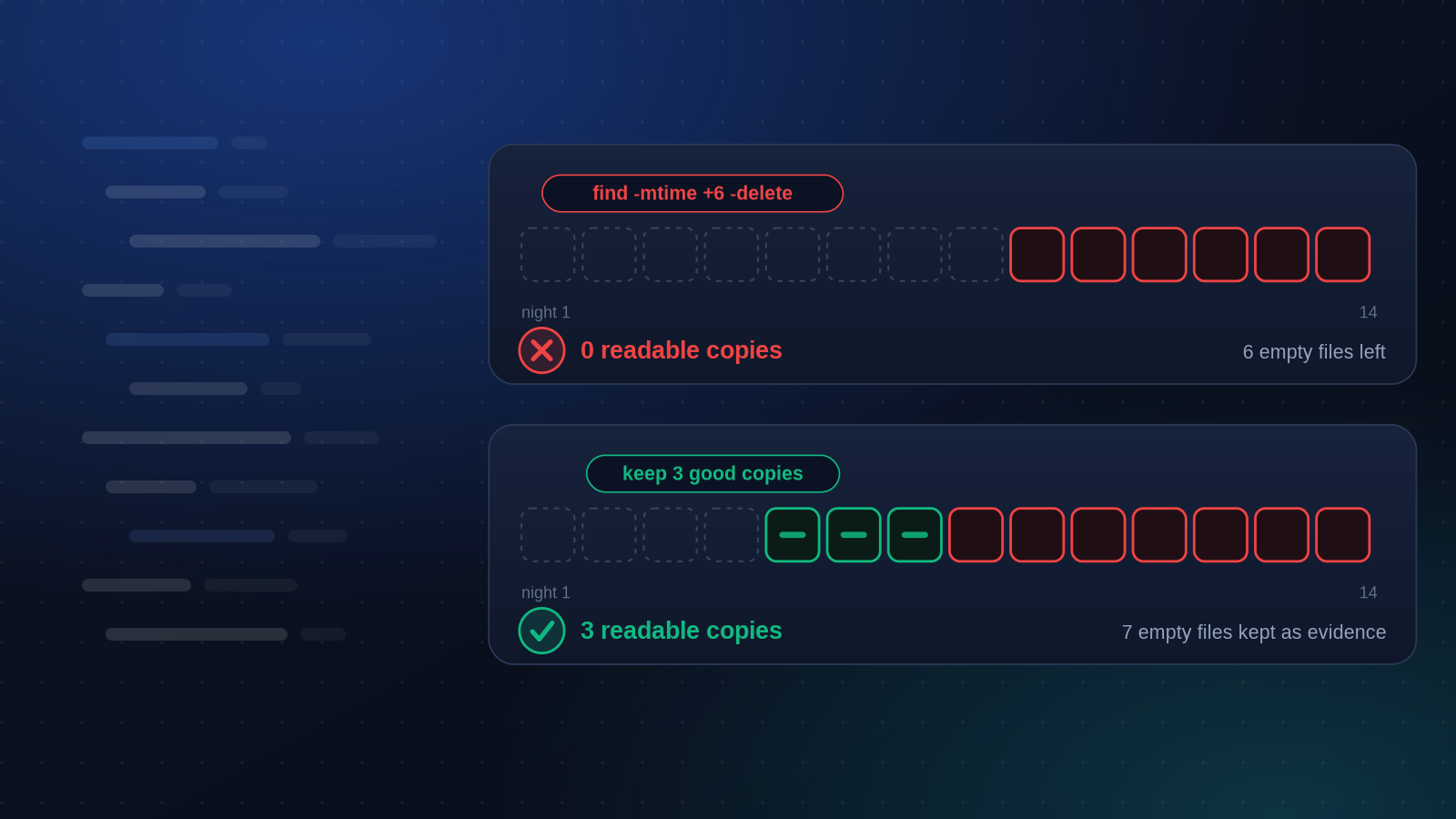
A retention policy decides which backups to delete, and most advice about it covers the wrong half of the problem. The usual question is how far back you want to restore. The question that loses data is how many bad nights can pass before the last good copy is gone, because a prune job has no idea whether the backup it is keeping is any good.
We ran both halves in test containers on Debian 12 and Ubuntu 24.04. The results were identical on both.
Age-based pruning deletes the good copies first
This line sits at the bottom of many backup scripts:
bash
find /backups -name 'shop-night-*.sql.gz' -mtime +6 -deleteIt removes anything modified more than six full days ago. That reads as "keep a week", and on a healthy server it is exactly that. We built fourteen nights of backups. Nights 1 to 7 are real gzip dumps and nights 8 to 14 are empty files, which is what a dump script leaves behind when a password was rotated or the disk filled up and nobody noticed. Then we ran the line above. It deleted nights 1 to 8 and left six empty files. Not one of the files that remained could be read back.
Pruning by file count fails the same way. ls -t | tail -n +4 | xargs rm keeps the newest three files, and the newest three were empty. In both cases the job exited cleanly every night, because deleting old files worked every time. A prune script that only looks at dates and names cannot tell a backup from a file that happens to have the right name.
Count good copies, not days
The fix is to let a copy count towards the limit only if it is good, and to delete a bad one only when enough good copies are newer than it. This loop does that for a folder of dumps named by night. Here "good" means non-empty and a valid gzip stream:
bash
keep=3; good=0
for f in $(ls -1 shop-night-*.sql.gz | sort -r); do
  if [ -s "$f" ] && gzip -t "$f" 2>/dev/null; then
    good=$((good + 1))
    [ "$good" -gt "$keep" ] && rm -- "$f"
  elif [ "$good" -ge "$keep" ]; then
    rm -- "$f"
  fi
done
On the same fourteen nights it removed nights 1 to 4 and left nights 5 to 7, the three good dumps, with the seven empty files beside them. When we then added three good nights, it removed the seven empty files and the older dumps and left nights 15 to 17.
The empty files staying put while the dump is broken is deliberate. They are the evidence, and a retention rule is not the place to hide them. Something else should be alerting on the first empty file, long before the third.
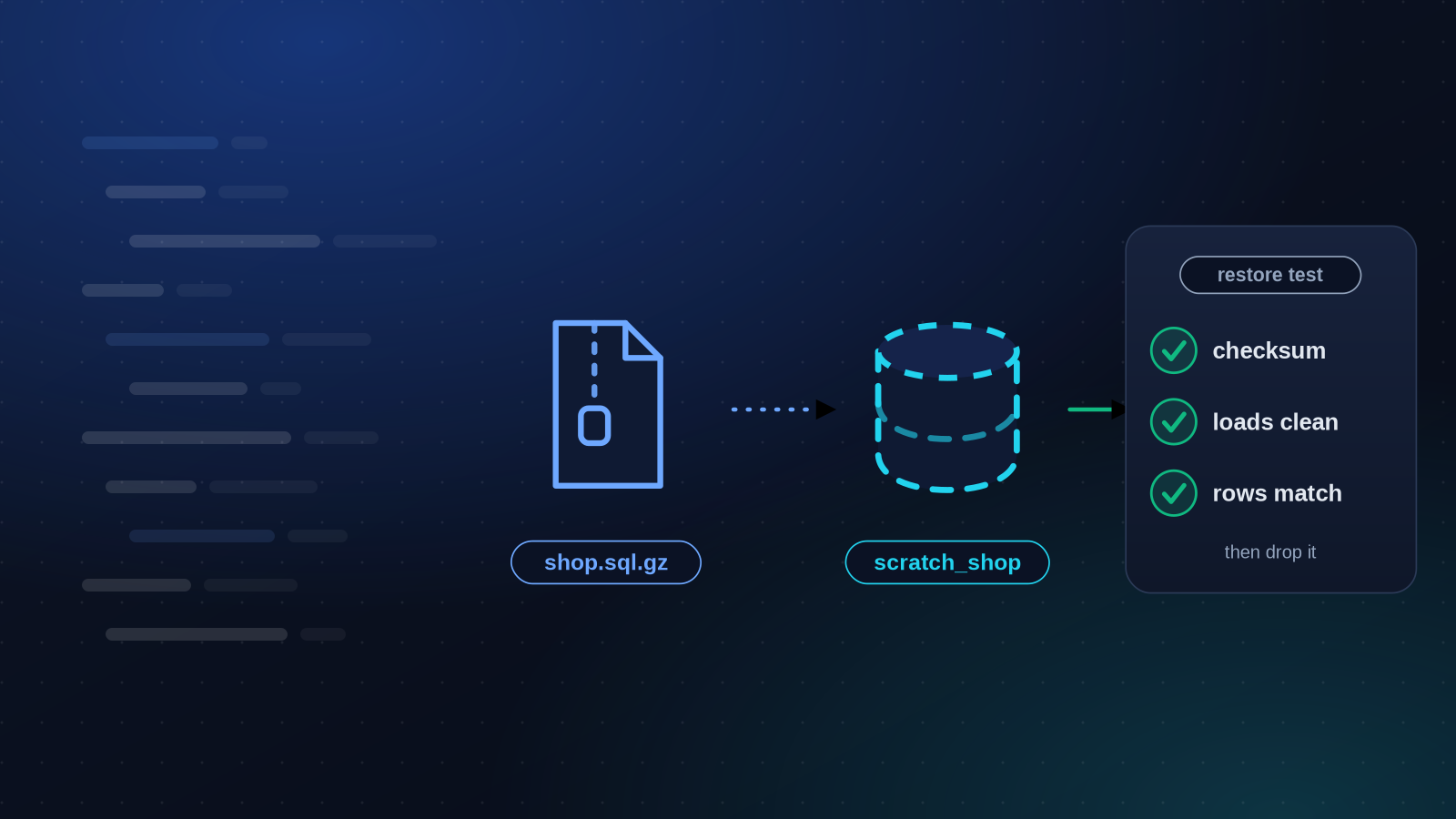
A file test is the minimum. A better definition of good matches what a restore needs: a checksum recorded when the backup was made, or a restore into a scratch database, as in How to Test a MySQL or PostgreSQL Backup Restore.
How many copies to keep
Two clocks decide the number, and neither has a standard answer.
The first is how long a problem can go unnoticed. A bad deploy, a deleted table or slow corruption is found when somebody looks, which is rarely the same day. Daily copies should reach back further than that, with margin. If your team usually notices within a week, seven daily copies is the least that works and fourteen is safer.
The second is how far back you might ever need to go: a figure that was wrong at month end, or something a customer deleted last quarter. Weekly and monthly copies cover those for a fraction of the cost.
Many guides suggest 7 daily, 4 weekly and 12 monthly copies, a pattern called grandfather-father-son. It is a reasonable start. Do the arithmetic before adopting it: that is 23 copies, so a 2 GB compressed dump becomes 46 GB of storage, before allowing for how well each one compresses. A database that can be rebuilt from other sources can keep less. One that exists nowhere else deserves more.
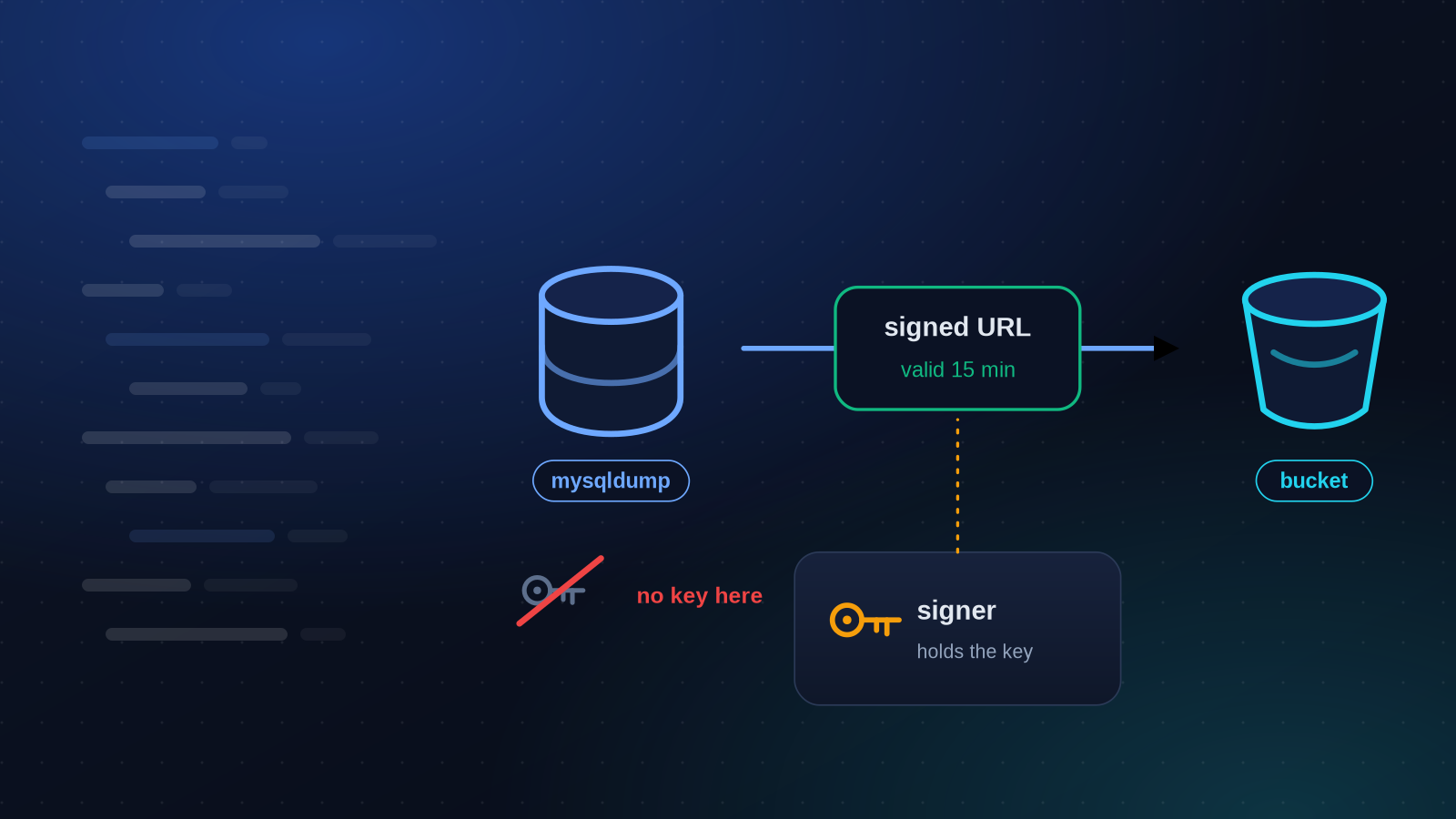
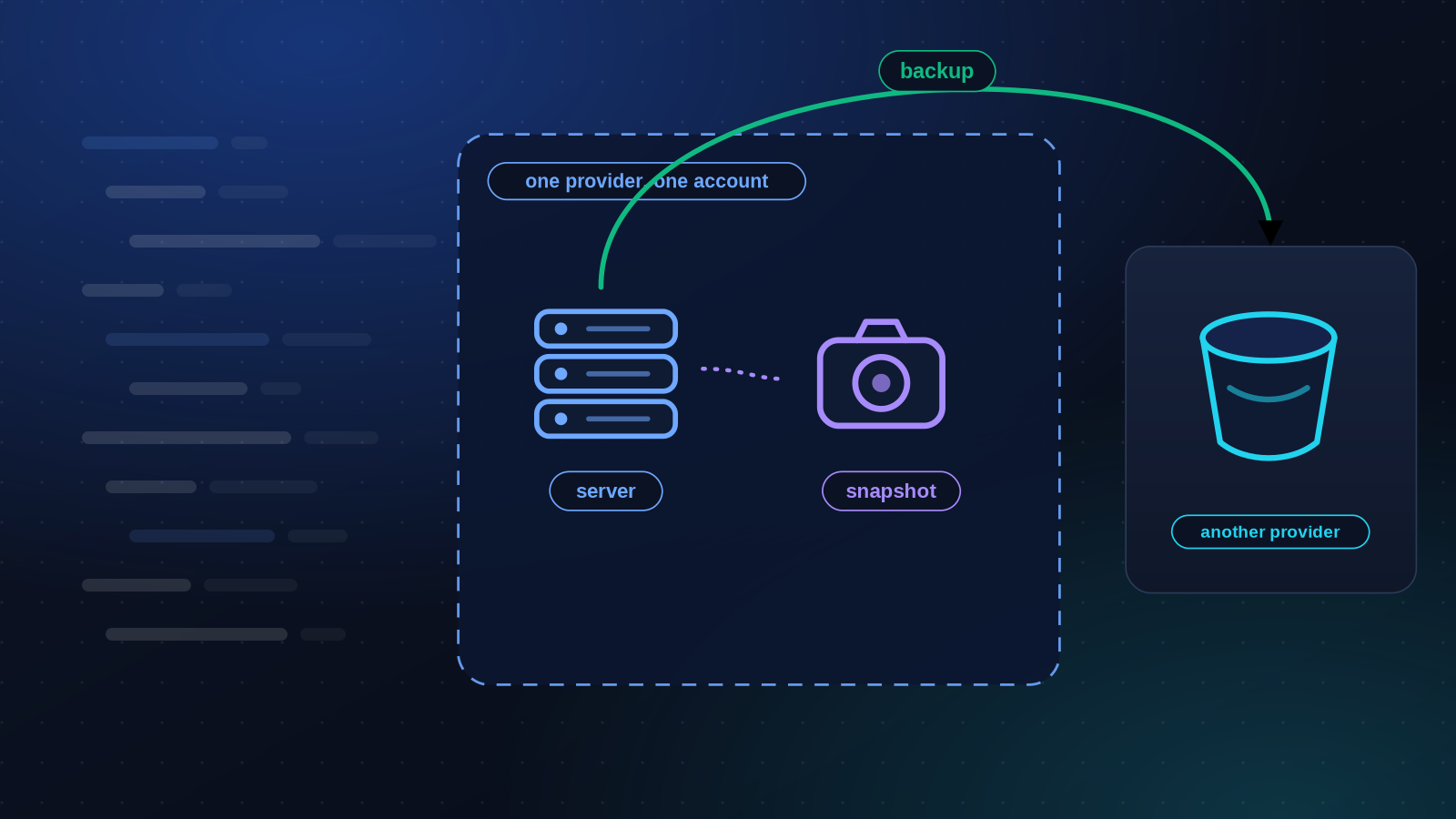
Keep the tiers in different places where you can. A nightly copy on the server's own disk restores fastest and is lost with the server, so the weekly and monthly copies belong in storage you own elsewhere. Give each place its own count, so that pruning one cannot shrink the other. If you have not set up the offsite half yet, Back Up MySQL to S3 Without Keys on the Server covers it, and VPS Snapshot vs Backup explains why a provider snapshot is not the same thing.
Two traps that look like retention
Age comes from the file's modification time, and copying can change it. In our test a plain cp of a ten-day-old dump gave the copy a new time, so find -mtime +6 did not list it, while cp -p kept the time and find listed it. Anything that mirrors backups with a tool that resets times makes age-based pruning delete the wrong files, or none. Prune by the date in the file name, or copy in a way that keeps the times.
Lifecycle rules on object storage are shaped like -mtime: they expire objects by age. They make a sensible backstop set well beyond your longest tier, so forgotten files do not stay forever. They should not be your policy, because they cannot tell a good object from an empty one either.
What our backups do
In Techie Gain, retention is a number from 1 to 30 on each schedule, counted per destination. A nightly copy on the server and a weekly copy in your bucket each keep their own history. Only successful backups count, and a copy that fails verification, such as the weekly restore test, is not counted either. Keeping three means three that restore, and an older copy that still works is never the one deleted because three newer ones failed.
The stored file is deleted before its record. If a deletion fails, the backup shows why and the next pass tries again, so you are never paying for a copy the list has forgotten. The schedule form starts at 7 copies.
Server backups lists every setting, and Backup verification explains the weekly test.
Keep reading
Backups
How to Test a MySQL or PostgreSQL Backup Restore
A backup you have never restored is a guess. Here is how to load a MySQL or PostgreSQL dump into a scratch database and prove that it is usable.
5 min read
Backups
Back Up MySQL to S3 Without Keys on the Server
Most MySQL to S3 scripts leave a bucket key on the server. Here is a mysqldump pipeline that uploads with a short-lived presigned URL instead.
4 min read
Backups
VPS Snapshot vs Backup: What Each One Covers
A snapshot undoes your last change. A backup survives losing the server and the account. How to tell which one you have, and a 3-2-1 plan for one VPS.
4 min read